Descript Review 2026: The AI Video & Podcast Editor That Makes Editing as Easy as Typing
Descript Review 2026: The AI Video & Podcast Editor That Makes Editing as Easy as TypingCreating high-quality videos and podcasts traditionally required professional editing softwa
Descript Review 2026: The AI Video & Podcast Editor That Makes Editing as Easy as Typing
Creating high-quality videos and podcasts traditionally required professional editing software, advanced technical skills, and hours of manual work. Today, AI-powered tools are transforming that workflow, making content creation faster and more accessible.
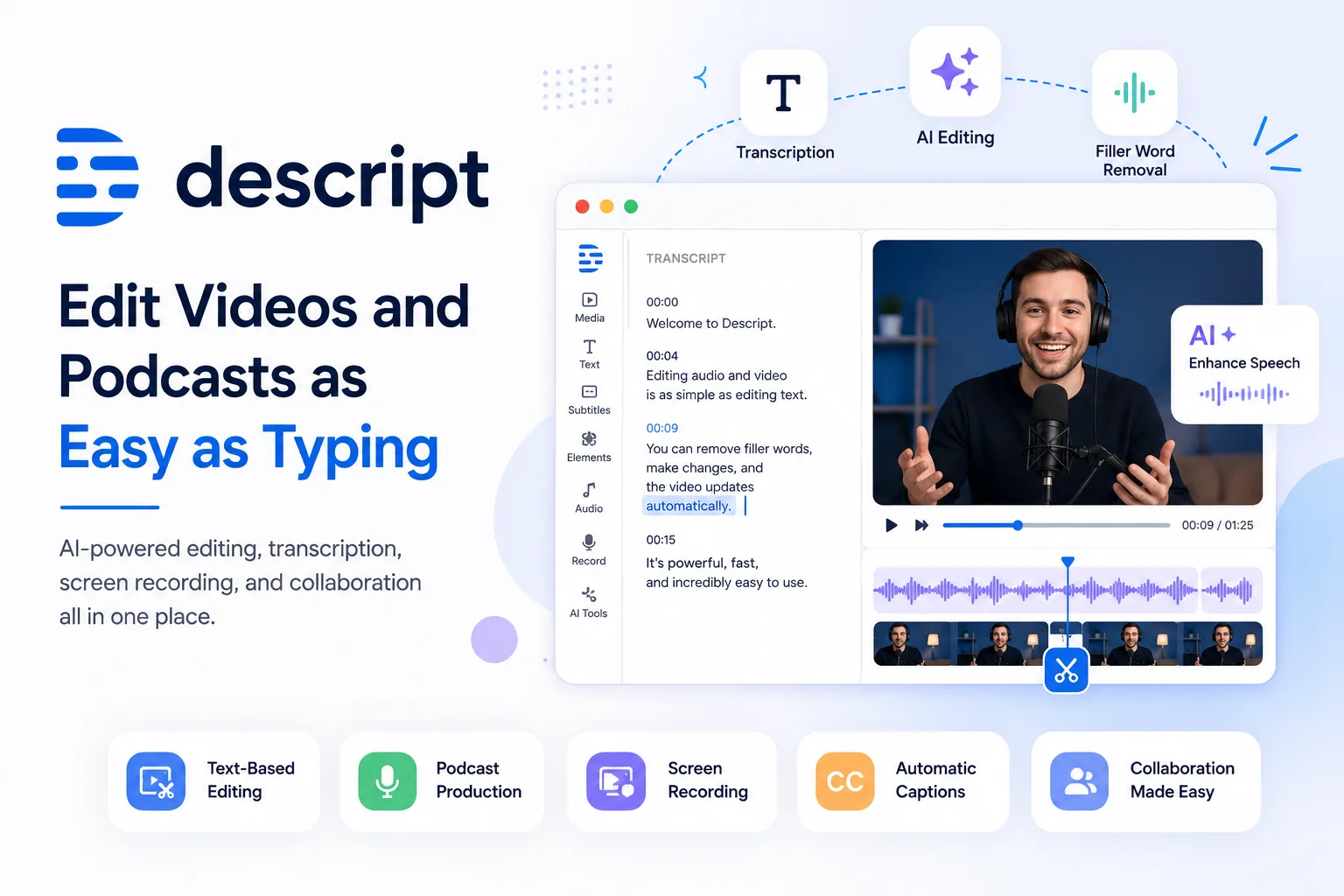
Descript is one of the most innovative platforms in this space. Instead of editing audio and video frame by frame, it lets users edit their content simply by editing the transcript—just like working in a document. Alongside transcription, AI-powered editing, screen recording, voice generation, and collaboration features, Descript offers an all-in-one workspace for creators.
Whether you're a YouTuber, podcaster, educator, marketer, freelancer, or business owner, Descript aims to simplify content production while maintaining professional-quality results.
What Is Descript?
Descript is an AI-powered video and podcast editing platform that combines recording, transcription, editing, screen recording, AI-assisted writing, voice tools, and publishing into one application.
Unlike traditional editing software that relies heavily on timelines, Descript uses text-based editing. Once your recording is transcribed, deleting or changing words in the transcript updates the underlying audio and video automatically.
This unique workflow helps reduce editing time while making professional editing accessible to users with little or no editing experience.
Key Features
Edit Video Like a Document
Descript's signature feature is text-based editing.
Simply:
- Record or upload media
- Generate a transcript
- Edit the text
- The audio and video update automatically
This approach is especially useful for interviews, tutorials, podcasts, webinars, and educational content.
AI Video Editing
Descript includes AI-powered editing tools that assist with common production tasks.
These features help creators:
- Remove filler words
- Improve audio clarity
- Generate social media clips
- Create summaries
- Produce titles and descriptions
- Speed up repetitive editing tasks
Its AI editing assistant is designed to reduce manual work while allowing users to retain creative control.
Podcast Production
Descript is widely used by podcast creators because it combines recording, transcription, editing, publishing, and collaboration into one workflow.
Podcast creators can:
- Edit conversations quickly
- Improve sound quality
- Remove unnecessary pauses
- Collaborate with team members
- Export episodes for publishing
Automatic Transcription
Accurate transcription is one of Descript's strongest features.
Transcripts make it easier to:
- Edit videos
- Create captions
- Improve accessibility
- Repurpose content
- Generate blog articles
- Search recordings
Screen Recording
Creators can record:
- Tutorials
- Software demos
- Presentations
- Product walkthroughs
- Educational lessons
Everything is automatically organized for editing inside the same workspace.
AI Writing Tools
Descript also includes AI tools that assist with content creation by helping users generate titles, summaries, descriptions, and social posts from existing recordings. These tools can speed up publishing while still allowing creators to review and refine the final output.
Collaboration
Teams can collaborate on projects by sharing workspaces, reviewing edits, and managing content together.
This makes Descript suitable for agencies, marketing teams, and businesses that publish content regularly.
Who Should Use Descript?
Descript is ideal for:
- YouTubers
- Podcasters
- Marketing teams
- Digital agencies
- Online educators
- Course creators
- Businesses
- Interview creators
- Freelance editors
- Social media creators
Advantages of Descript
✅ Easy text-based editing
✅ AI-powered editing assistance
✅ Automatic transcription
✅ Podcast production tools
✅ Screen recording
✅ Team collaboration
✅ Caption generation
✅ Content repurposing
✅ Beginner-friendly interface
Things to Consider
Before choosing Descript, consider:
- Your monthly editing requirements
- AI feature usage
- Collaboration needs
- Export quality requirements
- Preferred workflow
Different plans offer different levels of AI features, export quality, and usage allowances.
Best Use Cases
YouTube Videos
Create tutorials, reviews, educational videos, and product demonstrations.
Podcast Editing
Record, transcribe, edit, and publish podcast episodes efficiently.
Online Courses
Produce professional learning content with captions and clean audio.
Marketing Content
Create product videos, webinars, explainers, and promotional content.
Social Media
Repurpose long-form content into shorter clips for platforms like YouTube Shorts, Instagram Reels, and TikTok.
Descript vs Traditional Video Editing
Traditional Editing | Descript |
|---|---|
Timeline-based editing | Text-based editing |
Manual transcription | Automatic transcription |
Multiple software tools | All-in-one workspace |
Separate caption tools | Built-in captions |
Manual clipping | AI-assisted editing |
Is Descript Worth It?
Descript offers a unique editing experience that simplifies content production for creators and teams. Its text-based workflow, AI-powered editing features, transcription, and integrated collaboration tools make it an appealing choice for users who want to create professional-quality content without relying on multiple applications.
For creators producing videos, podcasts, tutorials, or educational content on a regular basis, Descript can significantly streamline the production process. Exploring its available plans and features can help determine whether it fits your workflow and creative goals.
Final Thoughts
Descript has reimagined how creators edit audio and video by combining AI assistance, transcription, editing, recording, and publishing into a single platform. Its document-style editing approach lowers the barrier for beginners while still offering powerful capabilities for experienced creators.
Whether you're launching a podcast, growing a YouTube channel, creating online courses, or producing marketing content, Descript provides a streamlined workflow that helps you spend less time editing and more time creating.
If you're looking for an AI-powered editor that combines simplicity with professional features, Descript is well worth exploring.
Call to Action
Ready to simplify your content creation workflow? Explore Descript to discover its AI-powered video editing, podcast production, transcription, and collaboration features. If it matches your needs, you can choose the plan that's right for your creative projects.