
Top AI Coding Tools in 2026: How to Choose the Right One for Your Workflow
IntroductionAI coding tools are rapidly transforming how developers write, debug, and manage code. What once took hours can now be done in minutes with the help of smart assistants
Introduction
AI coding tools are rapidly transforming how developers write, debug, and manage code. What once took hours can now be done in minutes with the help of smart assistants.
But with so many tools available, choosing the right one can feel confusing.
In this guide, we’ll break down the top AI coding tools and help you understand which one fits your workflow best.
Why AI Coding Tools Matter
AI coding tools are designed to:
- Speed up development
- Reduce repetitive tasks
- Improve code quality
- Assist with debugging and logic
These tools are not meant to replace developers — they enhance productivity.
Quick Comparison of Top AI Coding Tools
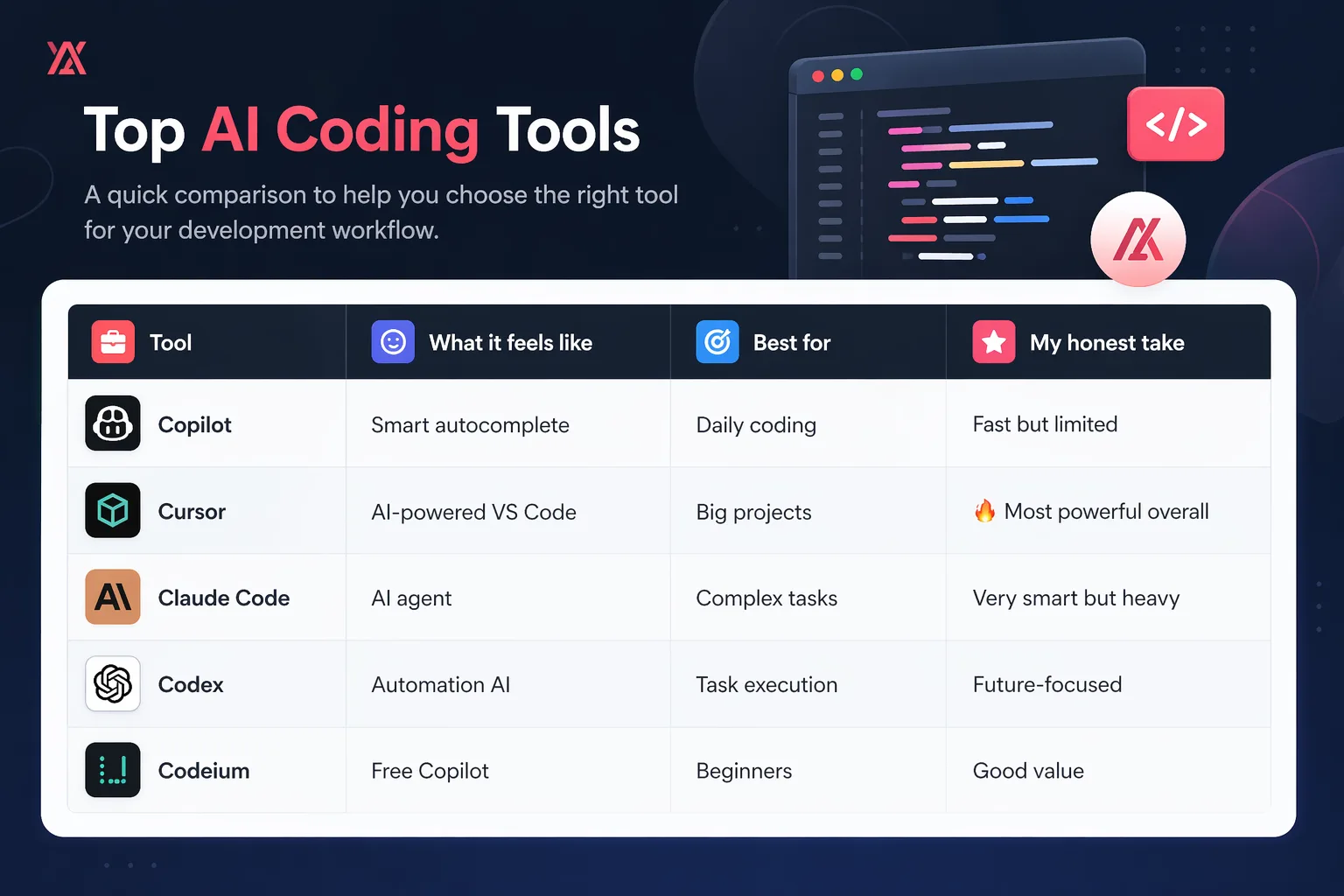
Understanding Each Tool
Copilot
GitHub Copilot is one of the most widely used AI coding tools. It works directly inside your editor and provides real-time code suggestions.
Best for:
- Quick coding
- Autocomplete
- Daily development
Cursor
Cursor is a modern AI-first code editor that feels like an upgraded version of VS Code.
Best for:
- Large projects
- Full code understanding
- AI-assisted workflows
This is currently one of the most powerful tools available.
Claude Code
Claude Code works more like an AI agent than a simple assistant.
Best for:
- Complex logic
- Code explanations
- Large-scale problem solving
However, it can feel heavy for small tasks.
Codex
Codex is focused on automation and execution.
Best for:
- Automating tasks
- Generating code from instructions
- Advanced workflows
It represents the future of AI-assisted development.
Codeium
Codeium is a free alternative to premium tools like Copilot.
Best for:
- Beginners
- Budget users
- Multi-language support
It offers solid performance without cost.
How to Choose the Right AI Coding Tool
Choosing the right tool depends on your needs:
- For beginners → Codeium
- For daily coding → Copilot
- For advanced projects → Cursor
- For complex reasoning → Claude Code
- For automation → Codex
Instead of trying everything, focus on one tool and build your workflow around it.
Common Mistakes Developers Make
- Using too many tools at once
- Expecting AI to write perfect code instantly
- Not understanding how the tool works
AI is a helper, not a replacement.
Final Thoughts
AI coding tools are changing the way developers work.
The key is not to use every tool, but to use the right one effectively.
Start simple, experiment, and gradually build your workflow.
That’s how you actually save time and improve productivity with AI.